Comparison guide
ClickHouse vs Snowflake: which costs less to run?
How each is built, what each bills you for, which workloads each runs cheaper, and how to test both on your own queries.
The short answer
ClickHouse is an open-source, column-oriented database built for fast queries over large, mostly append-only data: event streams, logs, metrics and analytics served to users inside a product. You can run it yourself or buy it as a managed service, from ClickHouse Inc. (ClickHouse Cloud) or from other providers.
Snowflake is a proprietary, fully managed cloud data warehouse built for SQL analytics across a whole organisation: many teams and tools, transformation pipelines, heavily joined models and governed sharing of data.
On cost, the deciding question is rarely the list price. It is the shape of your workload: how often queries arrive, how much data each one reads, how many arrive at once, and how many hours a day compute has to stay on to answer them in time. Always-on, high-concurrency, latency-sensitive work usually favours ClickHouse. Intermittent, join-heavy, organisation-wide analytics usually favours Snowflake. The only way to be sure is to price your own queries on both, which the last section walks through.
ClickHouse vs Snowflake at a glance
| ClickHouse | Snowflake | |
|---|---|---|
| What it is | Open-source columnar database (Apache 2.0), self-hosted or managed | Proprietary, fully managed cloud data warehouse |
| Where it runs | Your own servers or cloud account; ClickHouse Cloud on AWS, Google Cloud and Azure, including a bring-your-own-cloud option | Snowflake's service on AWS, Azure and Google Cloud |
| Compute is billed as | Self-hosted: the machines you run. ClickHouse Cloud: compute units per hour, metered separately from storage | Credits: warehouse size × running time, per second, with a 60-second minimum each time a warehouse starts |
| Storage is billed as | Self-hosted: your disks and object storage. ClickHouse Cloud: per TB per month | Per TB per month of compressed data, including Time Travel and Fail-safe retention |
| Other line items | Data transfer out of a region, ingestion connectors (ClickPipes), backups | Cloud services above 10% of daily warehouse use, serverless features (Snowpipe, automatic clustering, materialized view upkeep, search optimisation), data transfer |
| Built for | Low-latency queries on large event and time-series tables, high query concurrency, real-time ingestion | Broad BI and ELT, complex joins, many teams sharing governed data |
| Main cost lever | Table design: sort key, partitioning, materialized views, compression | Warehouse sizing and auto-suspend, then query and clustering design |
How each one is built
ClickHouse
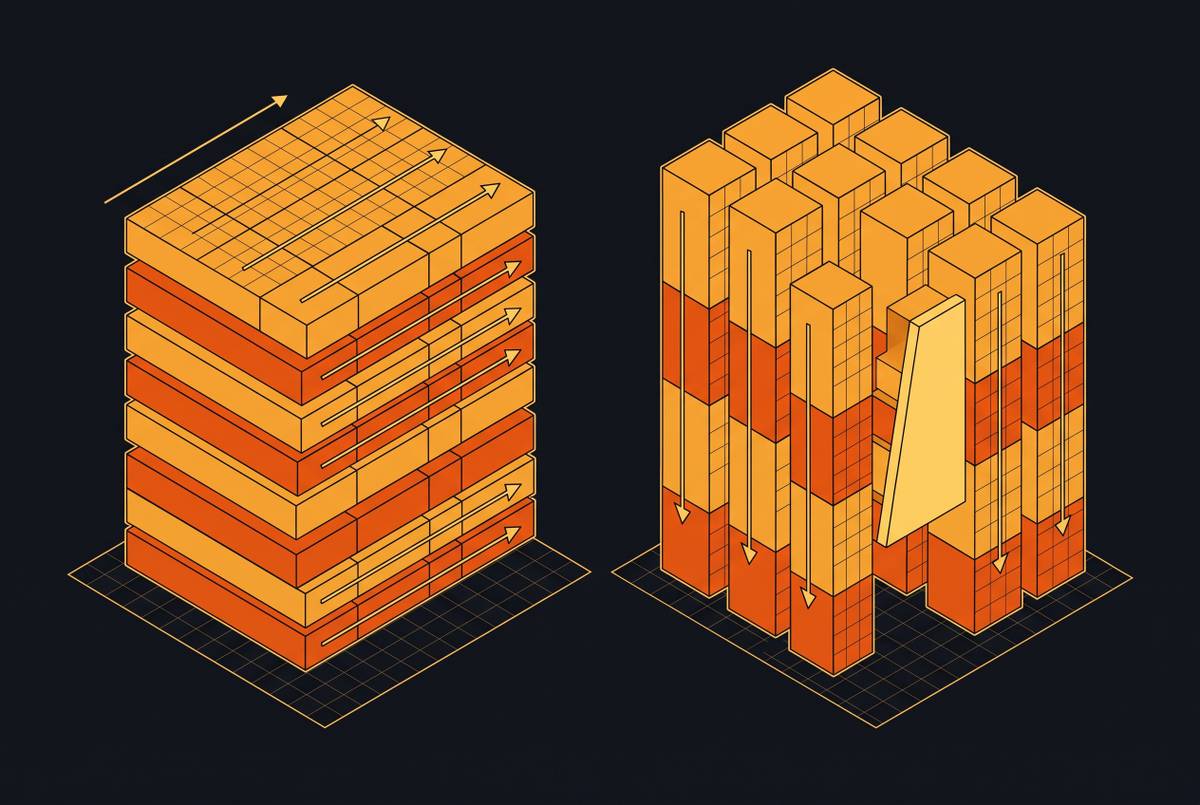
ClickHouse stores data in MergeTree tables: by column, compressed, and physically sorted by the table's ORDER BY key. A sparse primary index records where each block of rows starts, so a query that filters on the leading sort columns skips every block that cannot match and reads a small fraction of the table. Inserts land as new parts that are merged in the background, which is why rows are queryable almost as soon as they arrive. Materialized views run on insert, so an aggregate can be kept up to date as data lands instead of being recomputed on every query.
The trade-offs come from the same design. Updates and deletes are heavier operations than in a transactional database. Deduplicating engines resolve duplicates eventually rather than at insert time (see ReplacingMergeTree deduplication guarantees). Large joins need more deliberate modelling, which is why many ClickHouse schemas are denormalised into wide tables or lean on dictionaries for lookups. ClickHouse Cloud separates compute from storage: data lives in object storage and compute services are sized, scaled and idled on their own.
Snowflake
Snowflake has three layers: storage, compute in the form of virtual warehouses, and a cloud services layer that handles authentication, metadata, query planning and the result cache. Tables are split into micro-partitions automatically, and Snowflake uses their metadata to prune what a query reads; very large tables can be given clustering keys to prune better. It offers full UPDATE and MERGE with transactions, standard SQL, semi-structured data, Time Travel, zero-copy cloning and data sharing between accounts.
There is little to tune for typical use. The main decisions are how big each warehouse is, how many there are, and how quickly they suspend, and those decisions are also the bill.
How each one bills you
Snowflake
- Compute is paid in credits. Each step up in warehouse size roughly doubles the credits it uses per hour.
- Warehouses are billed per second while running, with a 60-second minimum every time one starts or resumes. A suspended warehouse uses no credits, so auto-suspend is the first cost control.
- The price of a credit depends on the edition (Standard, Enterprise, Business Critical, Virtual Private Snowflake), the cloud and region, and whether you pay on demand or through a capacity contract. Multi-cluster warehouses, which add clusters to absorb concurrency, need Enterprise edition or higher.
- Cloud services are charged only on days their use exceeds 10% of warehouse use. Serverless features such as Snowpipe, automatic clustering and materialized view maintenance are each billed as their own line.
- A repeated query can be answered from persisted results for 24 hours without running a warehouse, when the underlying data has not changed.
ClickHouse, self-hosted
There is no licence fee. You pay for servers, disks, object storage and network, and for the engineering time to run upgrades, replication, backups and on-call. That last cost is real and is the one most often left out of a comparison.
ClickHouse Cloud
- Compute and storage are metered separately: compute per unit-hour, storage per TB per month. Idle services can scale down to zero.
- Plans (Basic, Scale, Enterprise) differ in compute rate and in what is included, such as availability zones, compute-compute separation, private networking and support response times.
- Data transfer out to the public internet and between regions is charged, and ClickPipes ingestion is priced by connector type.
Rates change and differ by region, plan and contract, so this guide quotes none. The vendors' current pages are listed under Where to check current prices.
Which workloads cost less where
Usually cheaper on ClickHouse
- Analytics inside a product: dashboards and APIs your users hit all day, with sub-second targets. To keep latency low on Snowflake a warehouse has to stay running, and more clusters are needed for concurrency, so the bill tracks hours switched on rather than queries answered.
- Logs, metrics, traces and event streams: append-heavy, time-ordered data queried by time range and a few dimensions, which a ClickHouse sort key prunes very well.
- Continuous ingestion where fresh rows must be queryable within seconds.
- Programmatic and agent traffic: many small queries in bursts. A 60-second minimum on every resume penalises sporadic bursts, and keeping compute on pays for the gaps between them (see agentic vs human query workloads).
Usually cheaper on Snowflake
- Organisation-wide BI and ELT: many teams, transformation pipelines, star schemas with large joins and ad hoc questions from analysts.
- Work that runs a few hours a day, such as nightly transformations and scheduled reports, where warehouses run, finish and suspend.
- Teams without database engineers to spare. ClickHouse rewards, and needs, tables designed around the queries they serve.
- Data that is updated and merged often, or shared with other accounts under governance.
Many teams end up running both: Snowflake as the warehouse of record, ClickHouse serving the real-time and customer-facing queries. If you are weighing that split, when to route real-time event data into OLAP covers the signals.
Costs that are easy to miss on both sides
- Idle compute. On Snowflake, a warehouse left running without auto-suspend bills whether or not it is working. On ClickHouse, an over-provisioned cluster bills the same way. The flat vs consumption pricing analysis shows how workload shape decides which model wastes less.
- Query-shape variance. One unpruned full scan or an oversized warehouse can multiply a credit bill overnight; see cost predictability risk in consumption pricing.
- Data transfer. Both charge for data leaving a region or cloud; hidden egress costs shows where it adds up.
- Support. What each plan or support level includes, and how fast it responds, differs; support tier pricing covers how that shifts total cost.
- Engineering time. Schema and sort-key design on ClickHouse; warehouse governance and resource monitors on Snowflake.
- Migration. ClickHouse's SQL dialect and join behaviour differ from Snowflake's, so queries and models need rewriting. Migration risk scoring helps size that work before you commit.
How to compare them on your own workload
- Write down the workload's shape: queries per day, peak concurrency, latency targets at p95 and p99, compressed data volume, ingest rate and the hours of the day queries arrive.
- Pick 10 to 20 representative queries, including your slowest and most frequent ones, and load the same data into both.
- Model the tables natively for each engine: a sort key and, where it helps, materialized views on ClickHouse; clustering keys only where needed on Snowflake. Porting one schema unchanged makes the other engine look worse than it is.
- Run the queries at real concurrency, not one at a time, and record p50, p95 and p99 latency. Concurrency stress testing and controlled-variable comparisons explain how to keep the test fair.
- Turn what you measured into a monthly bill with the current rates for your region, edition or plan and contract, counting idle time, storage, data transfer and support, not only query time.
- Repeat at double the data volume to see how each bill grows as your data does.
ClickHouse Cloud is not the only managed ClickHouse
Open-source ClickHouse costs nothing to license, but few teams compare Snowflake with a cluster they run entirely themselves. Several companies run the same engine as a managed service with different billing and deployment models, Altinity, Aiven and ObsessionDB among them. ObsessionDB, for example, separates compute from storage, runs fully managed or in your own AWS or Google Cloud account, and prices by compute capacity rather than per query. When you compare against Snowflake, price the managed service you would actually run, and check what its plan includes for upgrades, scaling and on-call.
Questions
Is ClickHouse cheaper than Snowflake?
For always-on, high-concurrency, latency-sensitive workloads such as product analytics and observability, ClickHouse usually costs less, because Snowflake has to keep warehouses running to serve them. For intermittent, join-heavy analytics across many teams, Snowflake can cost less once you count the engineering time ClickHouse needs. Price your own queries on both before deciding.
Can ClickHouse replace Snowflake?
For real-time and customer-facing analytics, often yes. As an organisation-wide warehouse with frequent updates, complex joins and governed sharing, it is a bigger change. Many teams run both, with ClickHouse serving the low-latency queries.
Does ClickHouse support joins?
Yes, including inner, outer and ASOF joins, but large joins need more deliberate modelling than in Snowflake. ClickHouse schemas often denormalise into wide tables or use dictionaries for lookups.
Where can I find current ClickHouse and Snowflake prices?
On the vendors' own pages: Snowflake's pricing page and Service Consumption Table, and ClickHouse Cloud's pricing page and billing documentation. Rates differ by region, edition or plan and contract.
Where to check current prices
- Snowflake pricing optionsCredit prices by edition, cloud and region.
- Snowflake Service Consumption TableCredits per hour for each warehouse size and serverless feature.
- Understanding compute cost (Snowflake documentation)Per-second billing, the 60-second minimum and the cloud services adjustment.
- ClickHouse Cloud pricingCompute and storage rates by plan and region, data transfer and ClickPipes.
- ClickHouse Cloud billing overviewHow compute, storage and other dimensions are metered.